Last week I was at the beach with my family. There was a pool table at the house we rented, and naturally we spent a lot of time playing pool. I've played my fair share of pool, but most of my technique was learned from people who were about as sober as they were good at pool. I'd never learned the proper way to bank shots, shots along the rail, or rollback shots. My cousin Sam and I spent some time learning the proper technique and we had a ton of fun.
Once we learned the proper technique, we still had to do it properly. Which got me thinking, what if I could write a program which looks at the pool table and shows you the angles you should use to hit the ball?
So I set something up with OpenCV. I briefly considered using something like YOLO, but I felt like traditional CPU-based image processing would be better. Firstly, because with my self-driving car project, I will ultimately be working with constrained hardware. Secondly, because the problem at hand is a bit more constrained. That is, I only care about getting the positions of the table surface and balls. I don't need it to label everything in the scene.
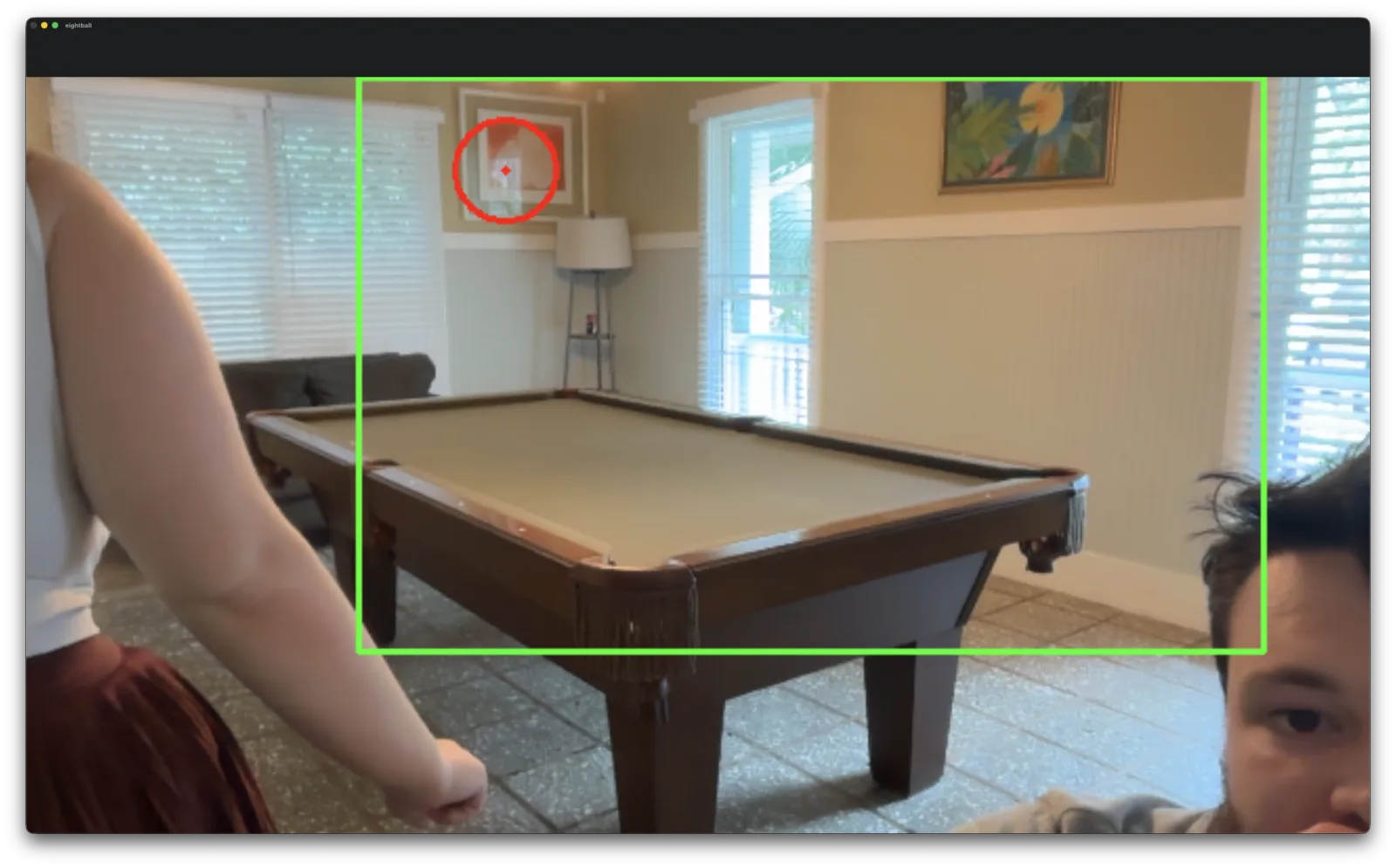
My first approach was to take a flood-fill approach. Basically we assume that the pixels in the center of the image are the pool table. We take that as our reference color, and keep classifying pixels as part of the table as long as they are similar in color.
This ended up not working very well because it kept classifying the wall as part of the table.
There were a couple of problems with this. First of all, the felt was not as vibrant as a typical pool table. And coincidentally, the wall color is somewhat similar to the felt color. And the shading on the table meant the felt actually appeared as a range of colors to the computer. So if you tune the color tolerance to be less sensitive, the flood spills over onto the wall. But if you make the color tolerance to be more sensitive, it will leave out parts of the felt.
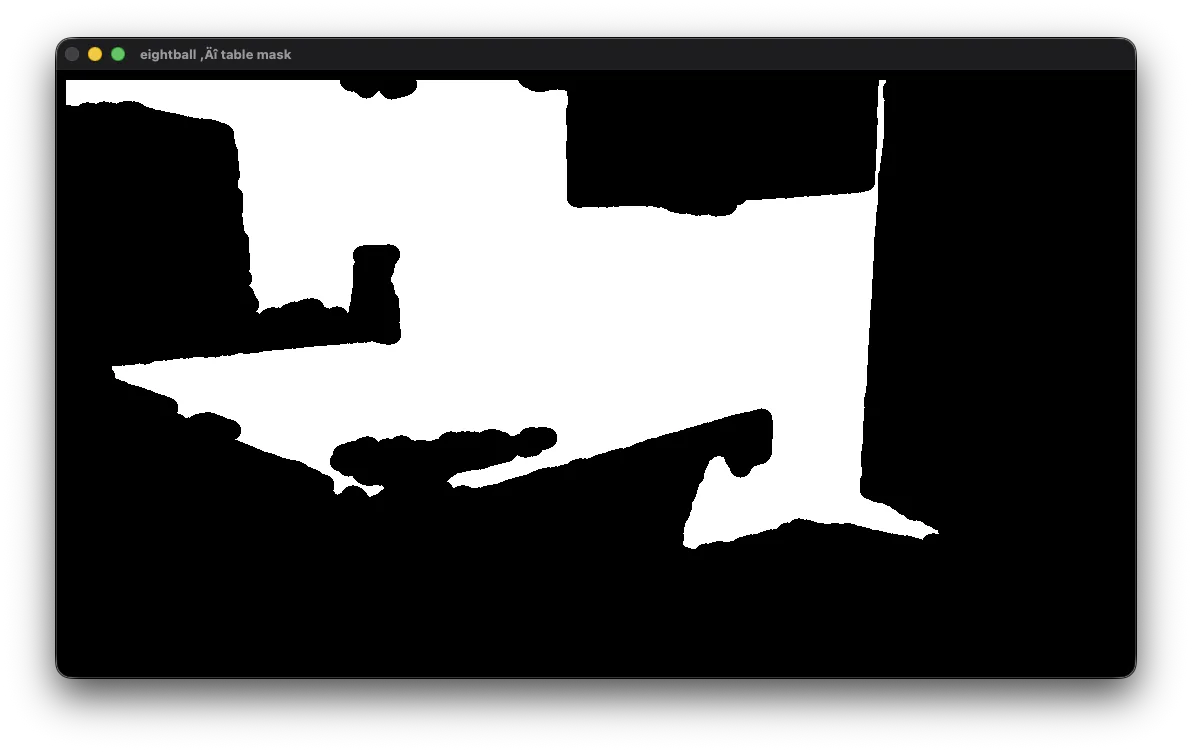
how the computer sees the colors. notice the section missing in the middle of the table, and yet it still spills onto the wall.
So basically, my setup is a pretty difficult case. The color of the walls, the angle of the camera, multiple sources of light, and the color of the pool all make it difficult to use color flood filling exclusively.
This indicated to me that color-flood-filling would not be sufficient.
So started thinking about what might be an algorithm for detecting the table. Visually, for a human it's pretty easy to detect the surface of the table. I started by thinking about how my brain distinguishes the table from the background. The flood fill approach works pretty well, but it isn't everything. Even if the wall wasn't a similar color to the felt, the cushions are the exact same color as the surface of the table, and we don't want that to get classified as playing surface. To the human eye however, we can tell there is an edge there. The surface of the table, on the other hand, has no edges.
So my thinking was to do an edge detection step. This finds where there is a sharp difference in color between neighboring pixels. Once I have all the edges, I can use that to bound the flood.
So the algorithm works as follows: - Choose the color of the center of the table - Keep growing the surface of the table, pixel by pixel, until the color is significantly different or we hit an edge.
I chose the canny algorithm for my edge detection, and used the same flood-fill logic as before
One issue with the edge detection was that the edges don't form a perfect quadrilateral, the edges don't completely connect. I fixed this by increasing the width of the edges and having OpenCV close connect small gaps.
After I stitched that all together it gave me a pretty decent result.
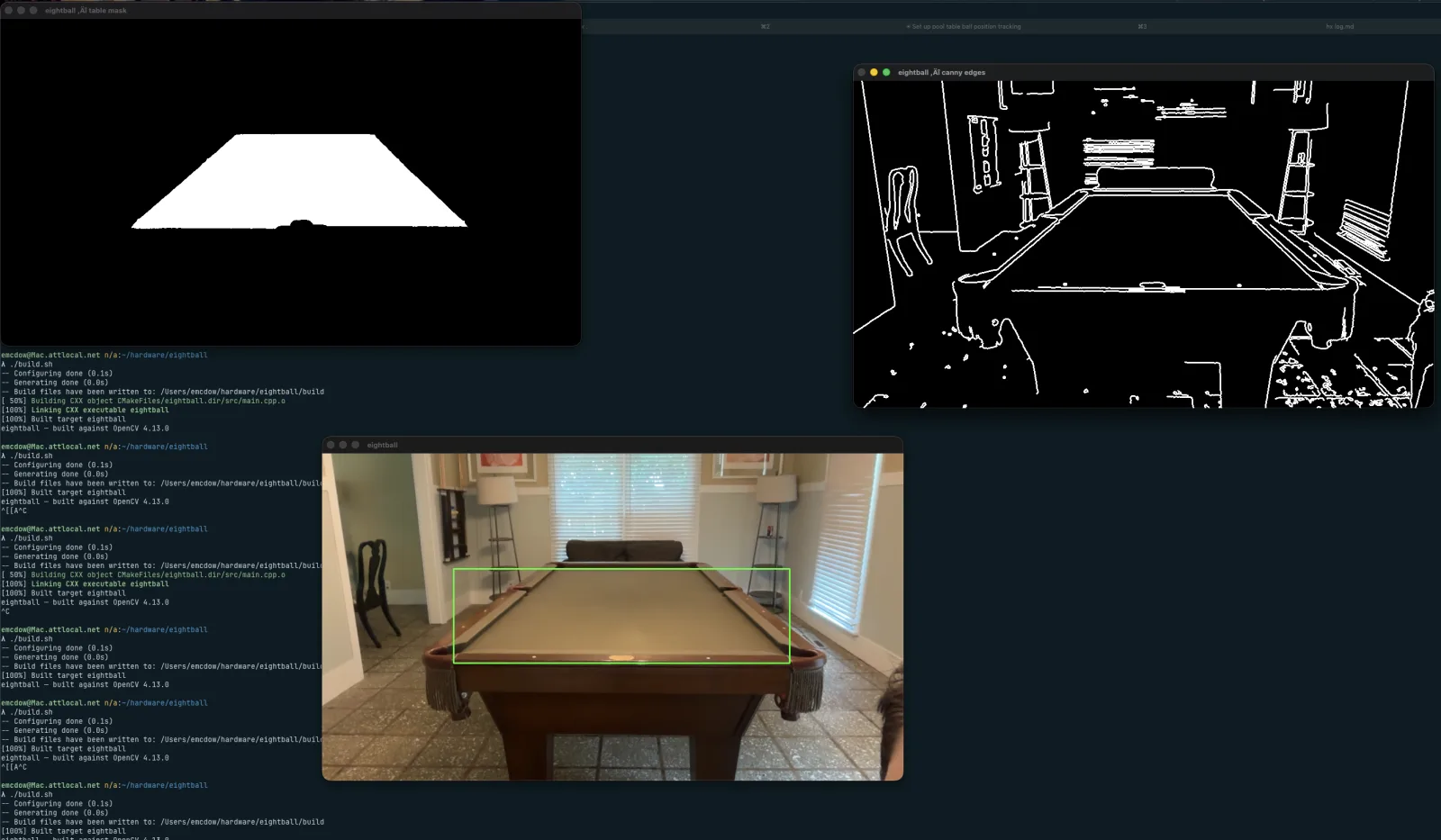
One thing I noticed was that changing the angle of the camera helped. I think the reason for this was because the way that they light shone and the shadows fell better accentuated the edges of the table. Unfortunately I forgot to get a photo of the table with the new algorithm but without moving the camera.
This was giving me pretty decent results, but I also adjusted it to output a quadrilateral(no pairs of parallel sides) as opposed to a rectangle.
Now that had the table detection more-or-less how I liked it, it was time to detect the balls.
For this I used the Hough algorithm to locate circles within the boundary of the table.
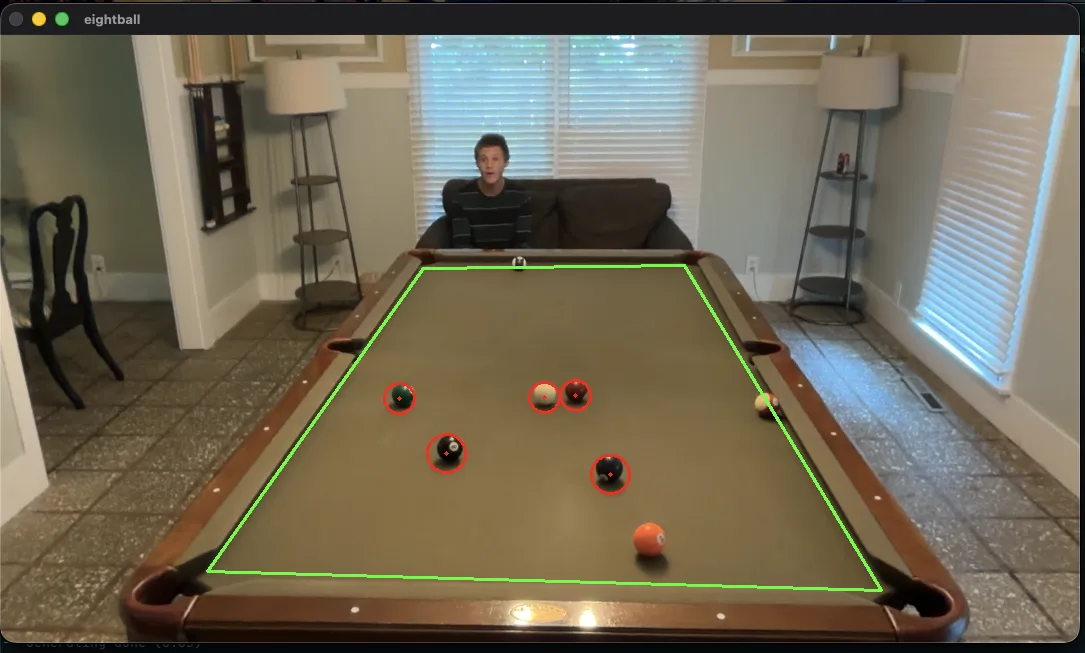
table detection looks good, but ball detection is iffy
This worked decently well, but had some issues.
Tweaking different constants improved some areas of detection while hurting others. For example, if I increased the sensitivity of the Hough function, it would be able to locate striped balls, but it would also detect shadows more often. This meant I had to keep recompiling the program to see different settings.
To deal with this, I added some sliders for the settings and added some debug output.
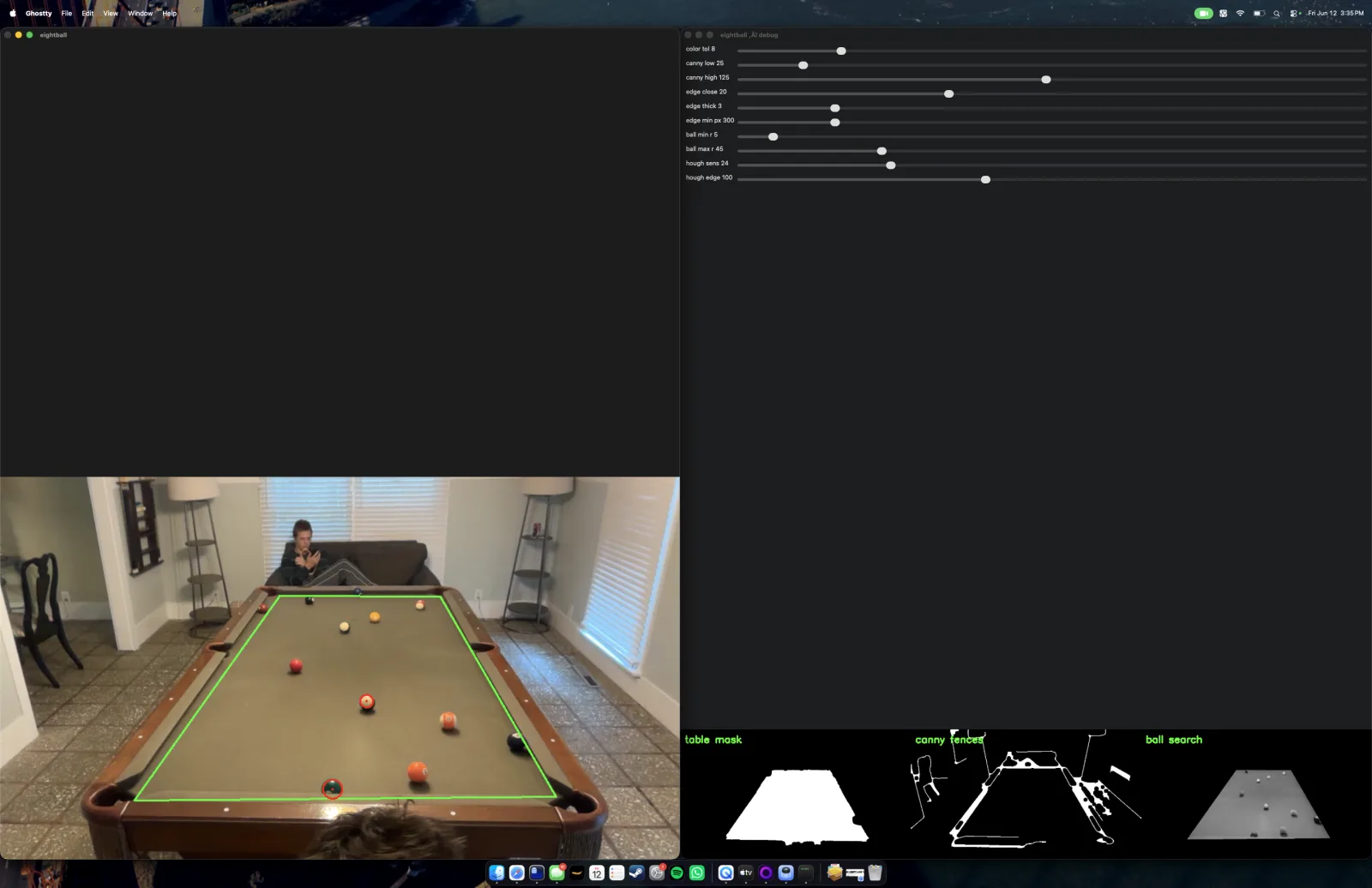
my debug setup
I spent some time playing with the different settings to get it how I liked it.
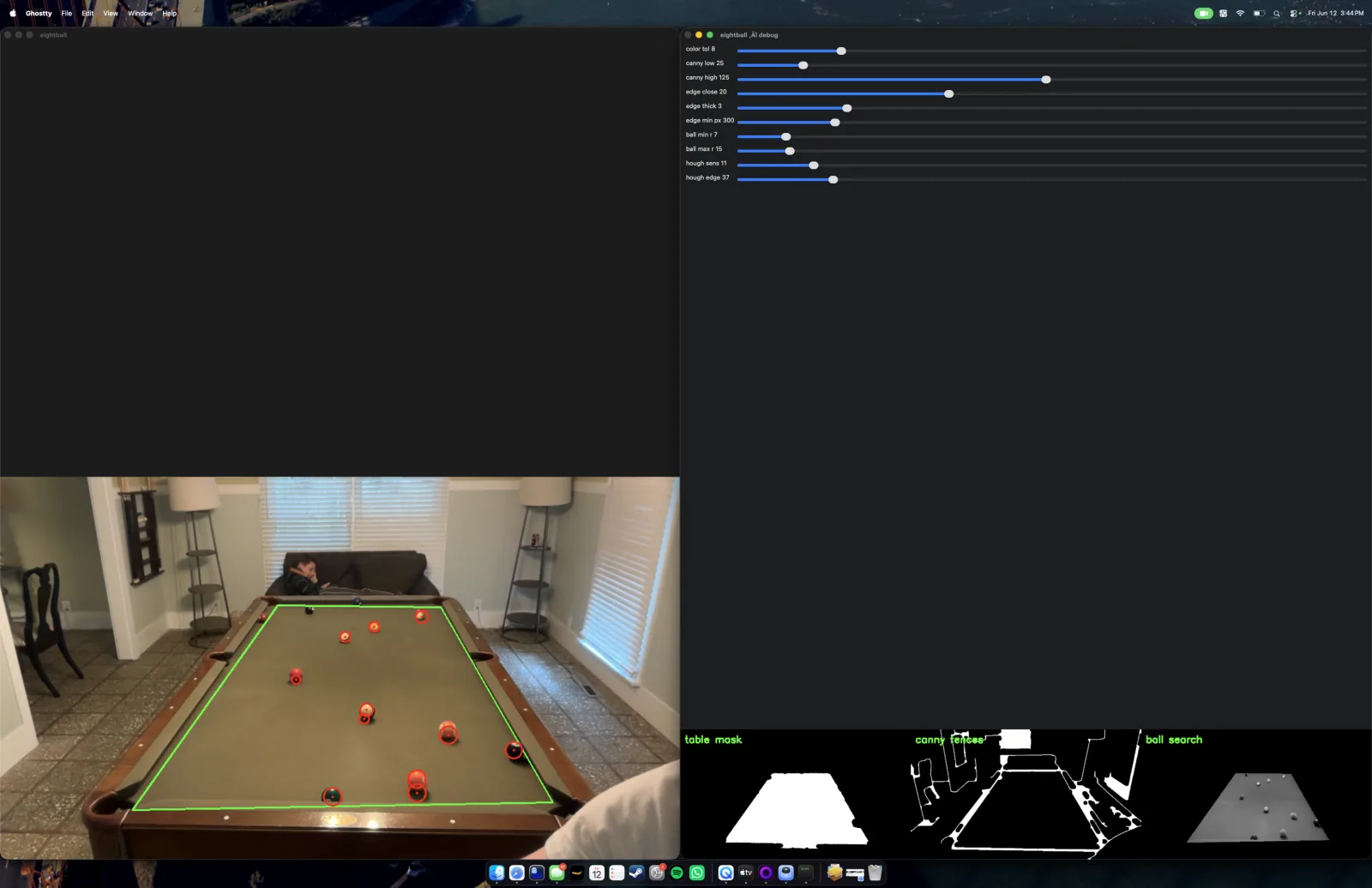
detection after tuning
I wasn't able to get it to be perfect, it had a variety of issues remaining. But alas, my vacation only lasted a week and I don't have a pool table at home.
One issue I wanted to fix but didn't get around to was dealing with shadows. I could imagine a way to deal with that is if two balls are intersect, and one is smaller than the other, we could ignore the smaller ball. This would exclude shadows, but it wouldn't deal with the case where two balls are touching. To deal with that issue, I could imagine maybe doing some complex work to check for the reflection on a ball. Pool balls are shiny and have a reflection, whereas a shadow never has a reflection. Obviously the easiest approach would be to use a top-down camera angle, but I thought it was cooler that my approach was a bit more flexible.
Another issue was that the edge detection was not perfect. If you look in my last photo, you'll see the back cushion is not entirely accurate, and as a result the three back balls don't get detected. I was having the same issue with the near balls, where they were too close to the cushion and not getting detected. I was able to deal with that by giving a bit of a grace-buffer from the edge. We search for balls slightly past the edge of the table. The problem with the back balls, however, is that they are too far outside the bounds of the table. If I open up the grace buffer too much, the ball detection logic starts seeing the holes as balls. This could be fixed by improving the edge detection logic, or possibly by adding the reflection check as discussed in the previous paragraph.
And finally, I ran out of time, I never got around to actually converting the perspective view of the pool table into a top-down view, and calculating the angles. But oh well, that was always the easy part anyway!
Long story short, it's not perfect, but I had a ton of fun playing pool and learning about the challenges of computer vision in the real world!